How to Send a Message to a Pager
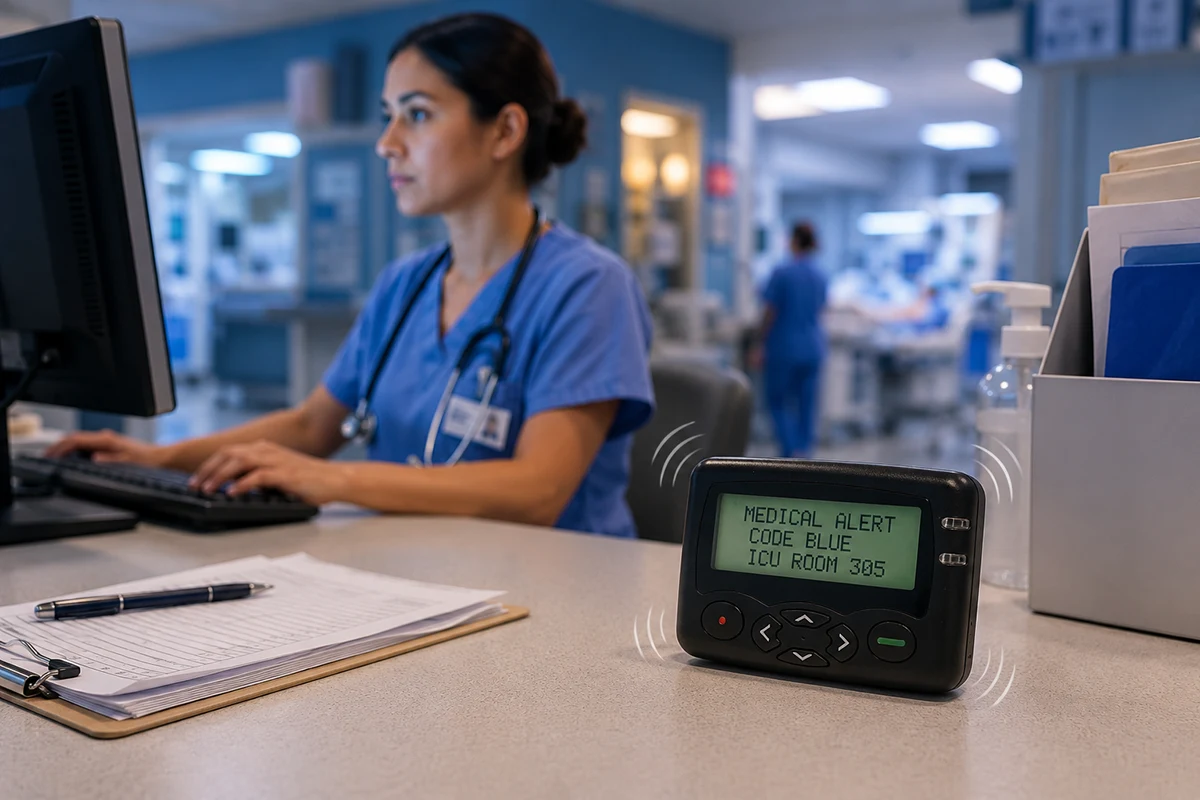
The correct way to send a pager message depends on whether the device uses a commercial paging service or a private paging system. A service-based numeric pager may receive a callback number through its assigned phone number. Messages for an alphanumeric pager may be submitted through SMS, email, or a web portal when its service supports that method. A private-system pager receives messages through an authorized message source, a controller or encoder, and a compatible transmitter. In every case, the sending method is determined by the system behind the pager—not by the pager alone.
A Pager Needs an Active Paging Service or a Compatible Private Transmitter
A pager, also called a beeper, is the receiving end of a larger system. Before sending a message, identify the system behind the device.
A Service-Based Pager May Have a Phone Number, Email Address, or Web Portal
A provider may assign a telephone number for numeric messages and offer an SMS gateway, email address, operator, or web form for text. These methods are provider-specific. A pager phone number does not automatically accept SMS, so obtain the correct instructions. As one current example, Spok's paging FAQs describe phone, web, email, and SMS options for eligible subscribers and devices.
A Private-System Pager May Use a Programmed Address Instead of a Phone Number
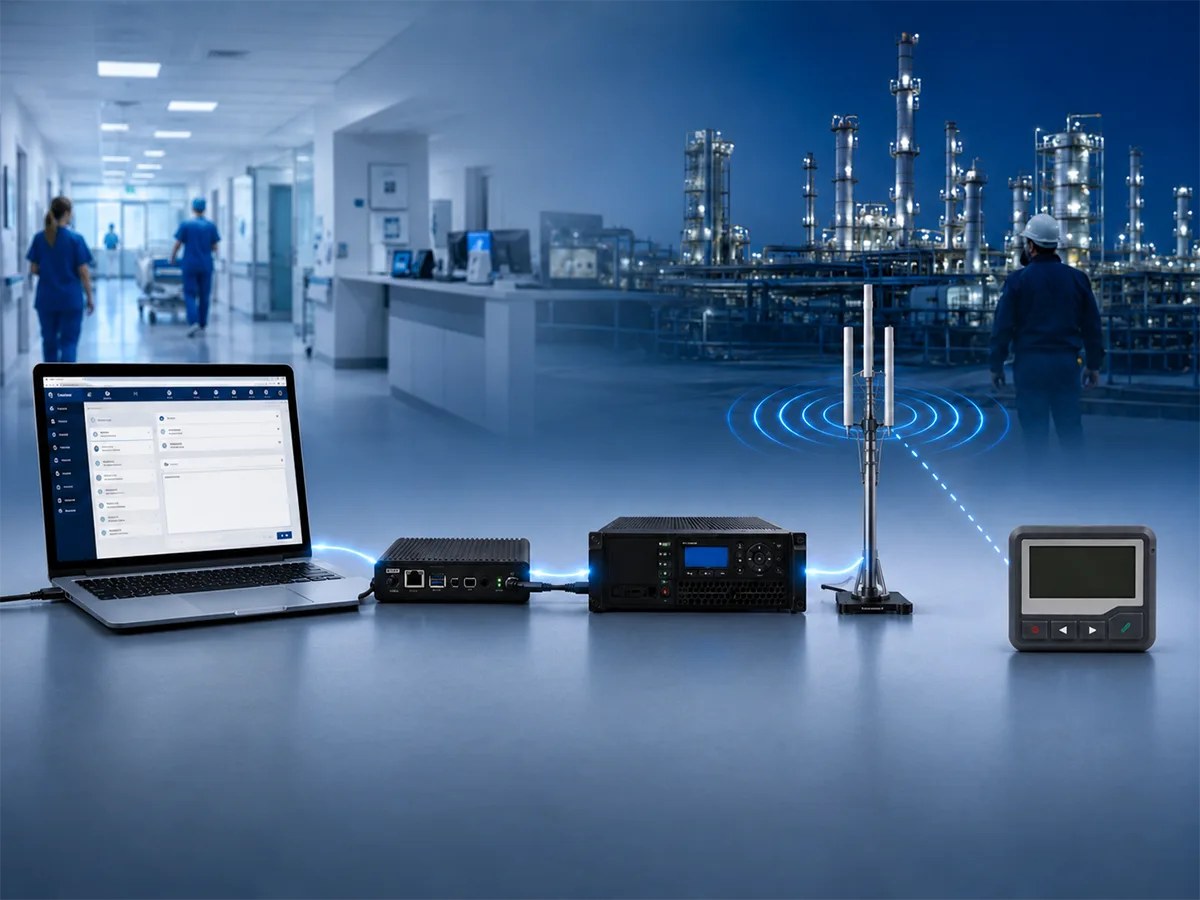
An on-site system may use a pager ID, role, or group inside authorized software rather than a public telephone number. It maps that selection to the pager’s programmed address and transmits the message over radio. See how a pager works for the complete signal path.
Send a Numeric Pager Message by Calling Its Assigned Pager Number
Telephone entry is a common way to send a callback number or agreed numeric code to a service-based pager.
Dial the Pager Number and Follow the Service Prompt
Call the assigned pager number from a touch-tone telephone and wait for the beeps or recorded instructions. Some services request a callback number immediately; others play a greeting or provide additional options. The sequence varies by system.
Enter a Callback Number or Numeric Code and Confirm the Page
Enter the number that the pager user should call back, or an agreed code the recipient will understand. Some services ask the caller to press the pound key (#) to complete the entry, but always follow the actual prompt. If the service plays a confirmation tone, it normally means the system accepted the entry; it does not prove that the pager received or displayed it.
You Can Text or Email an Alphanumeric Pager Only When Its Service Supports It
An alphanumeric pager displays letters and numbers, but its sending methods depend on the system—not the display alone.
Send a Text Message to a Service-Enabled Pager Number
If the provider supports SMS-to-pager delivery, enter the service-enabled pager number in a messaging app, type a concise message, and send it. A gateway passes suitable content to the paging network. Without it, texting may fail even when telephone entry works.
Send an Email to the Pager’s Assigned Recipient Address
Some services assign an address formed from a pager number or ID plus a provider-controlled email domain. Put that address in the To field, enter the message, and send it. The gateway converts permitted content into a pager message. Length limits, supported characters, subject handling, and delivery time vary, so follow the provider’s format. For guidance on writing concise, readable alerts, see these alphanumeric pager message formats and examples.
Use the Paging Provider’s or Organization’s Web Portal
A web portal may let the sender select a pager, enter callback details or text, and submit the page. Confirm the recipient before sending. Use only entry methods approved by the organization, especially when a message may contain sensitive or time-critical information.
Private Paging Systems Send Messages Through Software, an Encoder, and a Transmitter
Organizations may operate private paging systems for a defined coverage area.
Staff Can Send Manual Messages From a Paging Console
An authorized user selects an individual pager or group in the paging application, enters a numeric or alphanumeric message, and submits it. The controller or encoder prepares the address and message. The transmitter broadcasts the signal, and pagers programmed for the relevant address alert.
Alarm and Monitoring Systems Can Send Pager Messages Automatically
An integrated nurse call, monitoring, or alarm system may create a page when a defined event occurs. It must send the correct recipient address and message through an approved paging interface. Test automated alerts under realistic conditions.
Programming a Pager Is Different From Sending a Message
Pager programming stores reception settings such as frequency, data rate, addresses, and alert behavior. Sending a message is a separate live action performed by a service, gateway, controller, or paging application. Changing programmed settings does not itself transmit a page.
Organizations adding or replacing receivers should confirm these system settings before selecting a POCSAG alphanumeric pager.
If a Pager Does Not Receive a Message, Check the Entry Method, Address, Power, Coverage, and System Match
Start with the complete sending path instead of assuming that the receiver is defective.
Confirm That the Message Used a Supported Entry Method
Verify the pager number, email address, web recipient, or private-system ID. Confirm that the service is active and supports the selected entry method. If other methods work but one application fails, investigate that application or its gateway.
Check the Pager Battery, Power, and Coverage Area
Make sure the pager is on and its battery has sufficient charge. Send a short test message within the intended coverage area. Buildings, basements, shielding, interference, and distance can affect reception. The Michigan Medicine guide also identifies battery condition, coverage, interference, device status, and sending applications as possible causes of missed or garbled pages.
Confirm the Address and System Settings in a Private Paging System
Verify that the transmitted pager address matches an address programmed into the receiver. In a POCSAG system, this is the CAPCODE or RIC. The receiver and transmitting system must also use compatible frequency, data rate, and message format settings. Testing another known-working pager can help separate a receiver problem from a wider system problem.
Frequently Asked Questions About Sending Messages to Pagers
Can You Text a Pager From an iPhone or Android Phone?
Yes, if the service supports SMS delivery or provides an email or web portal. A standard smartphone cannot directly generate the compatible RF paging transmission required by an ordinary one-way pager.
What If the Pager Does Not Have a Phone Number?
It may belong to a private system. The sender then selects a pager ID, user, role, or group in the organization’s paging software instead of dialing a public number.
Can One Message Be Sent to Several Pagers?
Yes, if the system supports group paging or multiple recipients. A private system may use a shared group address, while a software platform may maintain a recipient list.
Can a One-Way Pager Confirm That the Message Was Received?
No. A standard one-way pager cannot return a reply, delivery acknowledgment, or read receipt. A system log may show that the message was accepted or transmitted, but not that the user saw it. Use a separate response method when acknowledgment is required.
2026 W8008 Pager Charger Update: USB Type-C for Individual Cradles
FLEX Pager OEM Development: What Must Match the Customer’s Network
Related Article